
One familiar sign-in
Synchronise selected users and let colleagues sign in to the 3CX web client with their Microsoft identity. Colleagues have fewer separate credentials to remember when they start the working day.
Use your Microsoft sign-in, bring contacts into 3CX and see when colleagues are available. These built-in 3CX capabilities reduce everyday switching and searching, with Infinitel supporting the connected phone service.
 Microsoft 365
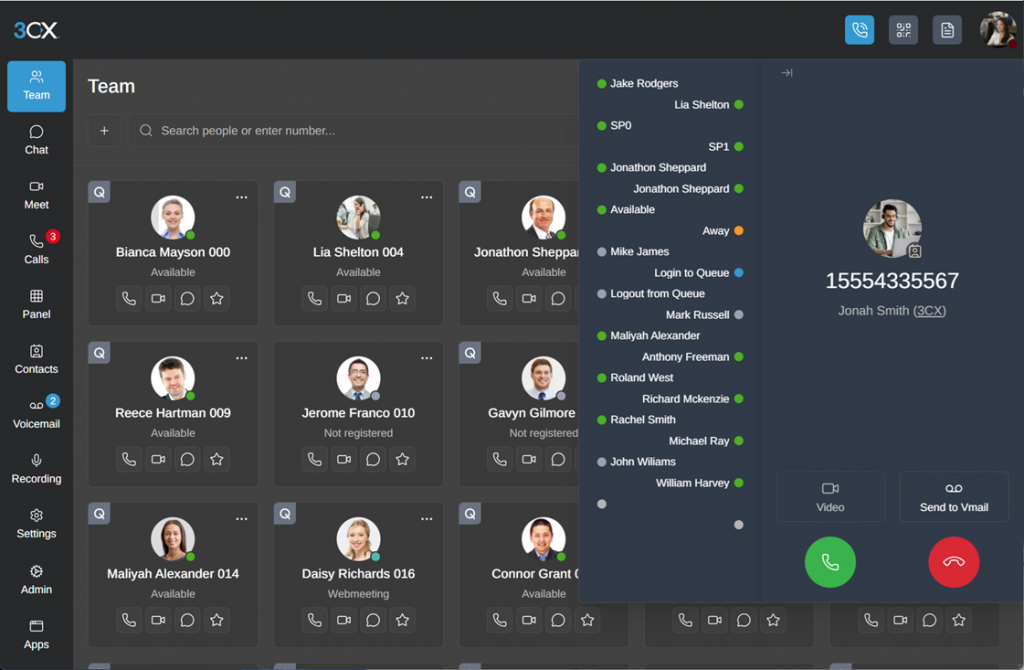
Microsoft 365 integration is built into 3CX. It can reduce repeated sign-ins, put useful contacts where calls happen and give colleagues a clearer view of one another’s availability.
Less duplicate setup
Find people faster
One familiar identity
Share mapped availability
Synchronise selected users and let colleagues sign in to the 3CX web client with their Microsoft identity. Colleagues have fewer separate credentials to remember when they start the working day.
Make personal contacts available in individual 3CX phonebooks and shared-mailbox contacts available across the company. Microsoft 365 remains the source for these one-way updates.
Share mapped availability between Teams and 3CX, helping colleagues see when someone is ready to take a call.
Presence direction and available statuses depend on the configured licences and mapping.
Use your Microsoft 365 email service for system messages from 3CX.
Microsoft 365 synchronisation, 3CX’s Teams calling integration and standalone Teams Direct Routing are related, but they are not interchangeable.
Synchronise selected users and contacts, use Microsoft sign-in and share mapped availability while 3CX remains your team’s calling workspace.
Talk to us about Microsoft 3653CX’s separate Teams calling integration can connect Teams users to 3CX colleagues, call routing and SIP trunks.
Explore 3CX and Teams callingInfinitel Direct Routing connects Teams directly to business numbers and the telephone network without putting 3CX at the centre.
Explore Teams Direct RoutingAs a 3CX Titanium Partner and Solutions Provider, Infinitel brings platform and licensing expertise to your connected service. Your colleagues get help using the everyday tools, and your IT team has one specialist contact for the 3CX platform, hosting and Microsoft connection.
Talk to us about Managed 3CX

“They responded incredibly quickly and were extremely helpful in resolving my query.”


Yes. 3CX provides Microsoft sign-in, user and contact synchronisation, presence and Microsoft email options. Infinitel supports the integration as part of your managed 3CX service.
Microsoft user synchronisation can help bring colleagues into 3CX. Your IT team should also manage 3CX permissions and remove access as part of its leaver process: disabling or removing the Microsoft account does not automatically delete the 3CX user. Infinitel helps with the phone-service side.
No. Microsoft 365 integration synchronises identity, users, contacts and presence with 3CX. Calling from Teams requires either 3CX’s own Teams calling integration or a standalone Teams telephony service such as Infinitel Direct Routing.
Yes, if your 3CX version includes the integration and your Microsoft 365 subscription includes Exchange. The capability is built into 3CX; the managed phone service and Microsoft subscription still have their own costs. Infinitel identifies any upgrade or additional configuration work before it is ordered.
A Microsoft 365 subscription with Exchange is required. Teams presence also needs Teams-enabled users. An authorised Microsoft administrator grants the initial connection; Infinitel handles the 3CX integration with your IT team.
See Microsoft sign-in, contacts and presence in the 3CX workspace. Arrange a demonstration of how connected Microsoft tools can make your team’s calls easier.