
Return a missed call
Read the caller’s purpose first, then respond with the right context instead of beginning from a blank voicemail notification.
Scan a conversation, find the detail and pick up the next action without replaying every minute. Read transcripts and summaries in 3CX, with Infinitel supporting the service behind them.
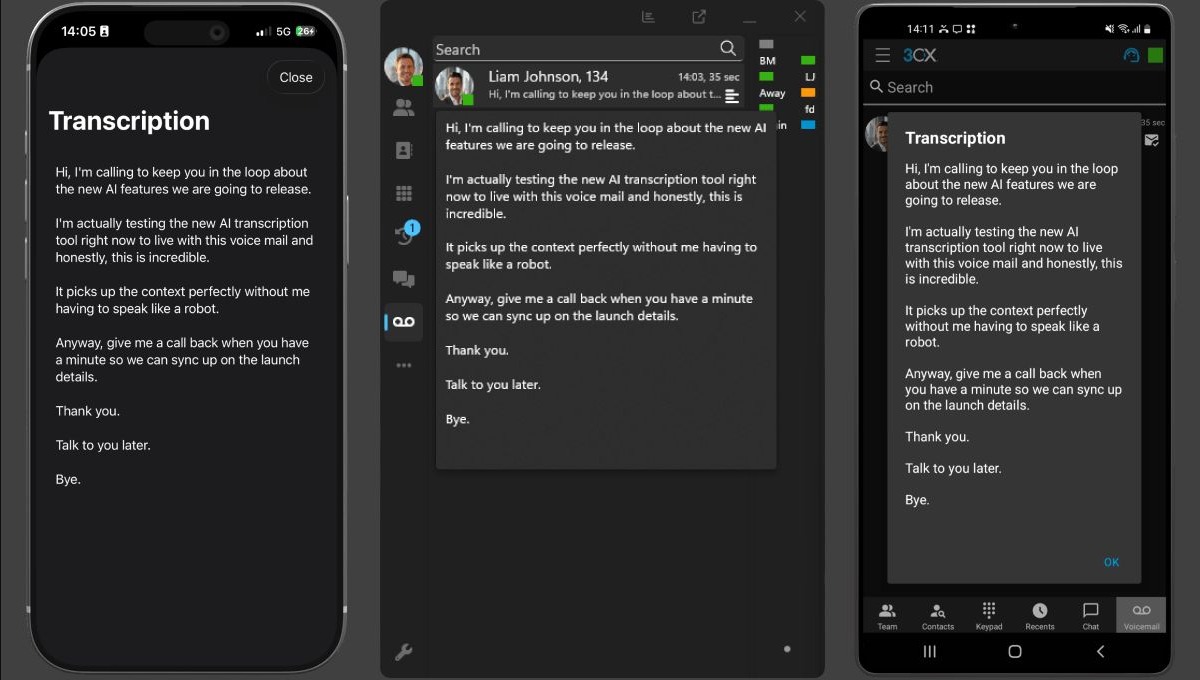
A written conversation makes a long recording easier to navigate. Find a name, product or promise, then use the summary to prepare the next response. The source recording provides context when exact wording or tone matters.
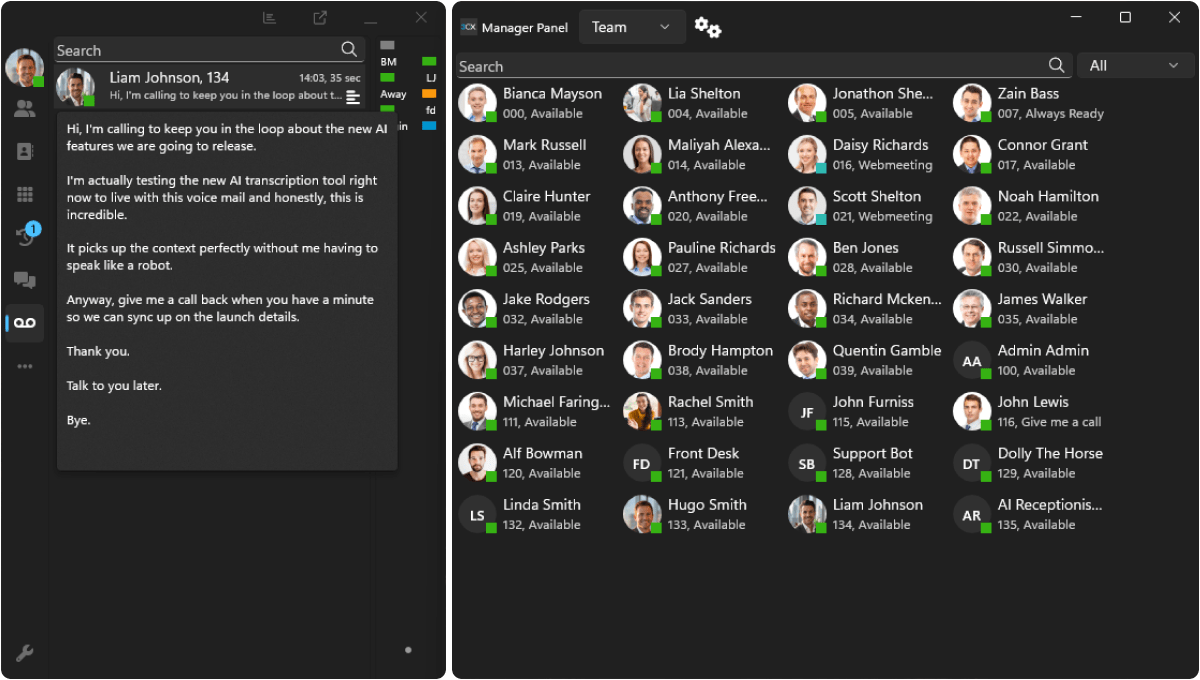
Read the caller’s purpose first, then respond with the right context instead of beginning from a blank voicemail notification.
Find a product name, agreed next step or concern before the next colleague picks up the conversation.
Search the text and use the source recording for any decision where tone, exact wording or accuracy matters.
Read a recorded conversation as speaker-separated text. Colleagues with access can revisit a request or decision without listening from the beginning.
Read what a caller needs and prioritise the response, even when listening to a voicemail would interrupt another task.
Use an automatic overview as a faster starting point for follow-up. Structured notes and action items are also available in early access on V20 Update 10 or later.
Keep conversation detail close to everyday calls in the desktop, iPhone and Android apps. Transcript views depend on the 3CX and app versions and each person’s access.
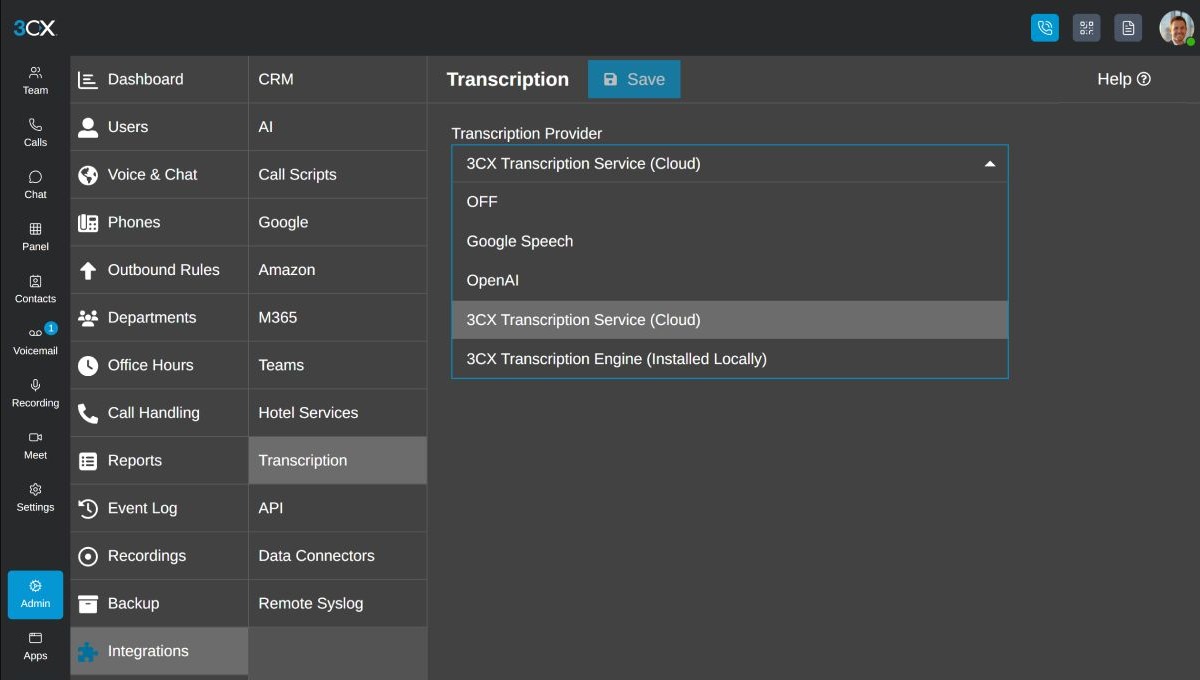
Choose cloud transcription with no AI server to run. Organisations that want local processing can evaluate the 3CX AI Server in early access on V20 Update 10 or later. Infinitel brings the processing service and your managed phone system together.
Compare the whole cost against the number and length of calls your team reviews. Cloud providers charge for processing; if you evaluate the early-access 3CX AI Server, plan for suitable capacity and maintenance.
Give staff a useful record of the conversations they handle while limiting wider access. Call recording, transcription and retention choices determine what is available and for how long.
A transcript helps colleagues find the relevant exchange. The original recording and human judgement remain essential when a decision depends on precise words or context.
Use transcripts to find the relevant exchange, then check the source recording and apply human judgement when an important decision depends on precise words or context. Accuracy varies with audio, language, speakers, terminology and provider.
You choose where call data is processed. Cloud AI features send audio to the provider you choose — for transcription, 3CX offers Google, 3CX, Grok and OpenAI options, with Grok on V20 Update 9 or later — so there is no AI server to run. For local processing, the 3CX AI Server is available in early access on V20 Update 10 or later, and Infinitel can help you evaluate it on a server sized for your calls. Your proposal sets out the data flow for the option you choose, and your recording and access settings decide which conversations are available for review.
3CX permissions limit transcript access to the relevant users and roles. Your recording and retention policy determines which calls are captured and how long the written records remain available.
Pro includes voicemail transcription. Full-call transcription, summaries and AI analytics require AI Edition, with recording enabled for the calls you want to transcribe. Cloud provider usage can add charges, and running the 3CX AI Server in early access adds infrastructure costs. Infinitel’s quote includes the licence, service and processing choices together.
See a call and voicemail become readable text, find an important detail and use a summary to prepare the next response. Book a demonstration of the experience your colleagues would use.