
Service recovery
Find an unresolved concern while there is still time to respond. A manager can understand what the customer needed and arrange a follow-up that addresses the actual issue.
Turn conversation detail into better service, more focused coaching and timely follow-up. Summaries and sentiment help your managers decide where to spend their attention.
This 3CX queue report shows sentiment beside individual answered calls. Use it to shortlist conversations, then check the transcript or recording before acting: sentiment is a guide, not a performance score.
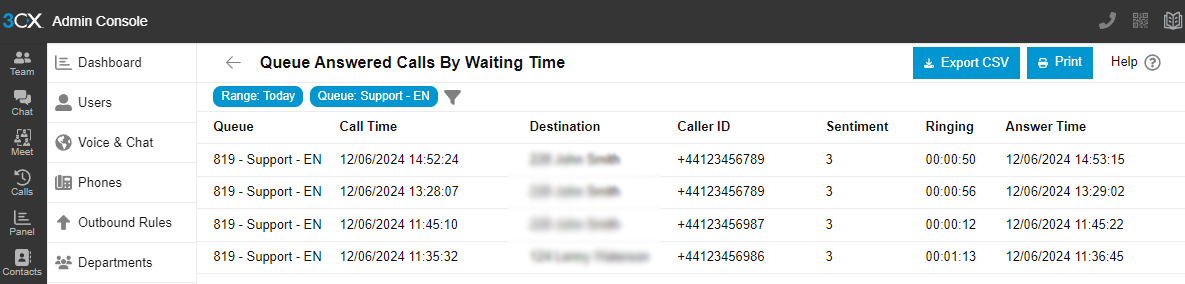
Find an unresolved concern while there is still time to respond. A manager can understand what the customer needed and arrange a follow-up that addresses the actual issue.
Bring a specific exchange into a coaching conversation. Discuss how a question was handled, recognise what worked and agree what could help the next caller.
Help the next colleague pick up an agreed action or customer promise. Summaries provide a quick starting point, with the conversation available when exact wording matters.
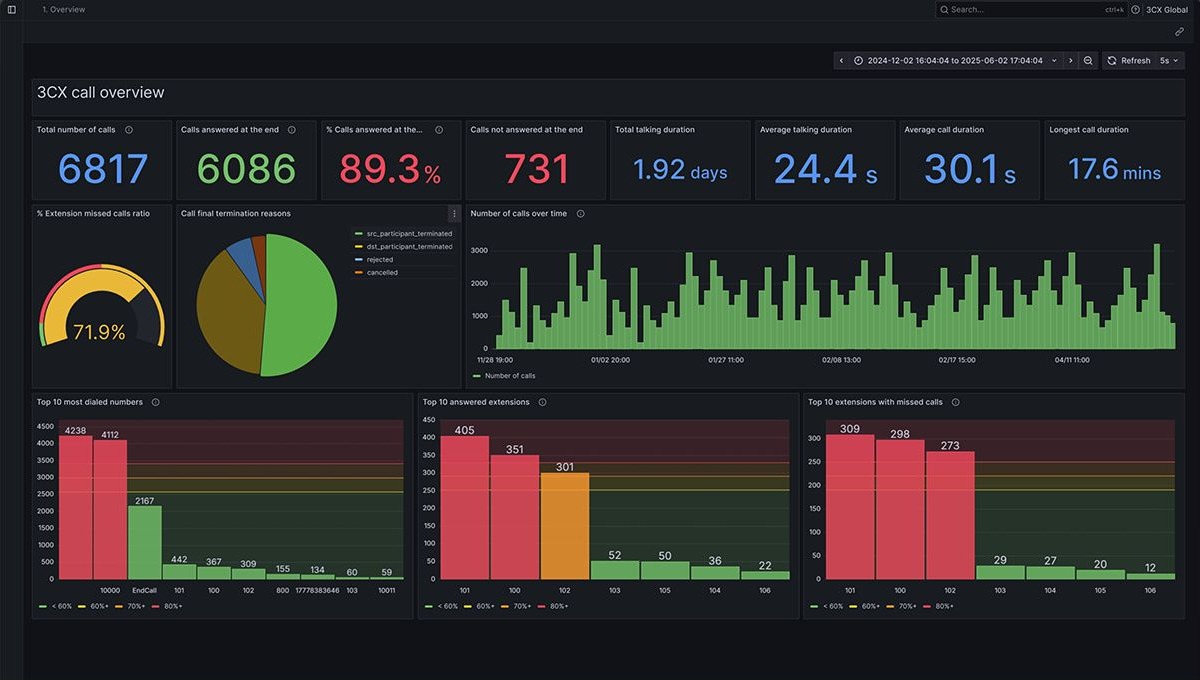
Standard reporting measures call volumes, workload and queue waits. AI analysis adds summaries, sentiment and transcript context for recorded conversations, helping you understand the customer experience behind those patterns.
Measure inbound, outbound, answered and unanswered demand across a selected period.
Compare workload and response patterns across people and shared destinations.
Find calls answered after a chosen wait threshold and investigate how waiting affected the customer experience.
Infinitel combines practical 3CX reporting experience with support for your phone system. In a demonstration, follow a service question from the first signal to the conversation that helps your manager act.
See sentiment beside individual calls and use the relevant queue or team view to narrow the review.
See how a call summary brings the customer need and next action together. Structured notes and action items are available in early access on V20 Update 10 or later, so you can explore them in your demonstration.
Open the transcript or recording to understand the exchange in context, with access limited to the relevant staff.
Use sentiment to choose conversations for closer review, then check the transcript or recording and the surrounding context. It is a prioritisation signal, not an automatic performance score or verdict about a person.
Full-call transcription, summaries and sentiment require 3CX AI Edition and calls that have been recorded and transcribed. Staff need access to the relevant records. Provider usage can add costs, and local processing on the 3CX AI Server is available in early access. Available report and data-connector functions also depend on licence size.
Choose a recurring service issue, coaching need or follow-up task. A demonstration can show how the 3CX views help your team investigate it and what is included in Infinitel’s managed service.
See how a manager spots a conversation, reads the summary and returns to the evidence before taking action. Book an AI analytics demonstration for your service or coaching team.