
For your customer
Give every enquiry a clear welcome and a direct route to the team best placed to help, even when demand rises or the usual queue is busy.
Help customers reach the right person and give service teams a clearer view of demand. Luware Nimbus adds intelligent routing and contact-centre tools to Microsoft Teams, with Infinitel bringing the calling service and specialist support together.
Arrange a Nimbus demo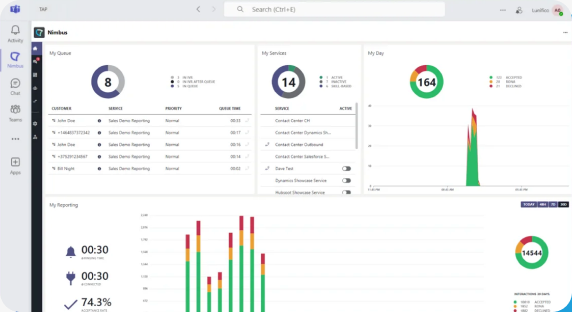
Queues and service lines at a glance. Agents can see the work waiting and the services they handle without leaving Teams.
Give every enquiry a clear welcome and a direct route to the team best placed to help, even when demand rises or the usual queue is busy.
Handle assigned service queues in Teams, see the work waiting and bring the right colleague into the conversation without changing workspace.
Watch queue pressure and availability as the day unfolds, then use historical insight to improve coverage, coaching and staffing.
Queue volumes, longest waits and agent states help supervisors spot pressure early and monitor service levels. Historical reporting reveals recurring peaks, supporting smarter staffing and more consistent customer service.
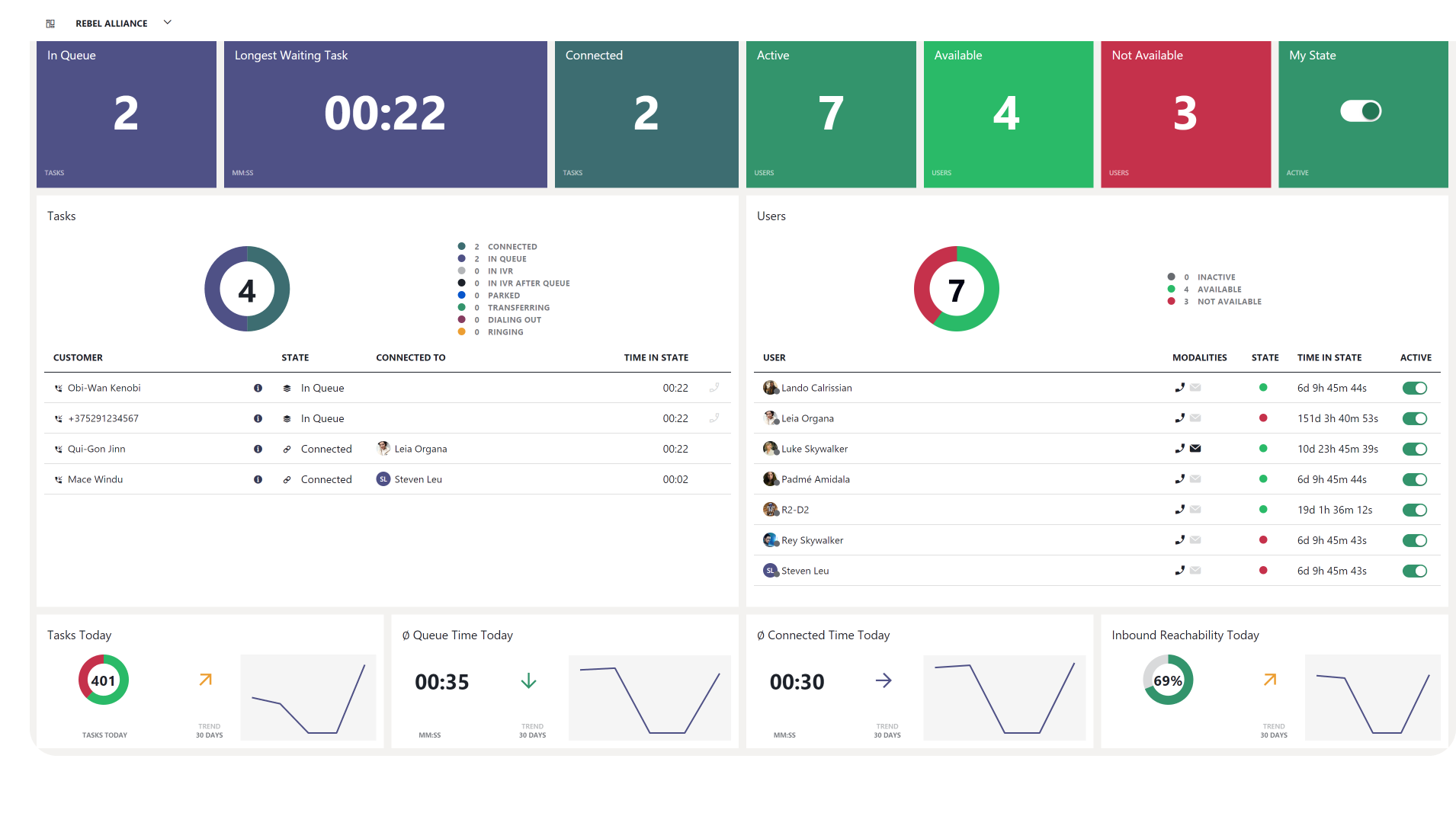
Spot queue pressure. See waiting demand and the longest current wait together, so supervisors know where attention is needed.
Move help to the right place. Agent states and the user view make it easier to understand available capacity during a busy period.
Plan around real demand. Daily and historical measures help managers identify patterns and make better-informed staffing decisions.
See waiting demand and the longest current wait, so supervisors can act before queues build.
Understand agent availability and how work is distributed across the team.
Use daily and historical measures to identify patterns and plan staffing with better evidence.
Nimbus’s visual workflow editor connects greetings, opening hours, queues and overflow. Callers get a clear next step, while your team can adapt the journey as hours, services and demand change, with Infinitel’s specialist help.
Start with the journeys where customers and teams feel the most pressure. Add the channels, business context and routing capabilities that will make those interactions easier to handle.
Digital channels, CRM connections, recording and advanced routing use the relevant Nimbus modules, integrations and licences.
Prioritise valuable enquiries, direct calls to available colleagues and give supervisors live sight of demand when response times matter most.
Route enquiries by team or skill and, with a suitable integration, bring relevant CRM or ticket context closer to the agent handling the conversation.
Give every caller a consistent welcome, reflect opening hours accurately and create clear transfer and overflow routes across the organisation.
Infinitel turns your service goals into a solution your people can use, connects the calling and numbers behind it, and stays alongside your team as customer expectations change.
Keep agents in the familiar Teams workspace, bring customer context into reach and give supervisors a view of demand. Infinitel helps your people use those capabilities confidently, so the tools support the service you want to provide.
Bring Nimbus and external calling together through Infinitel Teams Direct Routing where required. One specialist team supports the supplied numbers, voice connection and contact-centre service as your organisation grows.
Nimbus adds contact-centre routing, agent and supervisor capabilities to Microsoft Teams. It works with supported Microsoft calling models including Calling Plans, Operator Connect and Direct Routing. Infinitel can bring Direct Routing, business numbers and Nimbus together as one designed solution.
Yes. Nimbus adds a contact-centre experience to Teams. Your current calling model and the modules you choose determine the connection and licence costs; Infinitel’s proposal brings them together.
Digital channels, recording, CRM connections and advanced routing are available through the relevant Nimbus modules, integrations and licences. They are additional choices, so your proposal identifies the capabilities and charges included in your service.
See a customer reach the right queue, an agent answer in Teams and a supervisor respond to live demand. Arrange a Nimbus demonstration around your busiest service journeys.