
Reach a colleague across platforms
 3CX colleagueNative calling integration
 Teams colleague
A person using 3CX can call a configured Teams user, and that Teams user can call back. Each answers in their own supported client.
Connect colleagues who prefer Teams with those using 3CX, while keeping 3CX at the centre of your calling. The built-in integration links the two workspaces; Infinitel supports the phone platform, voice service and integration together.
Your 3CX usersDesk phones and the 3CX appsYour Teams usersThe workspace they already useKeep 3CX for the teams and devices that use it, while selected colleagues call in Teams. The native integration provides a calling path between them and uses the SIP trunks connected to 3CX for external calls.
3CX colleagueNative calling integrationTeams colleagueA person using 3CX can call a configured Teams user, and that Teams user can call back. Each answers in their own supported client.
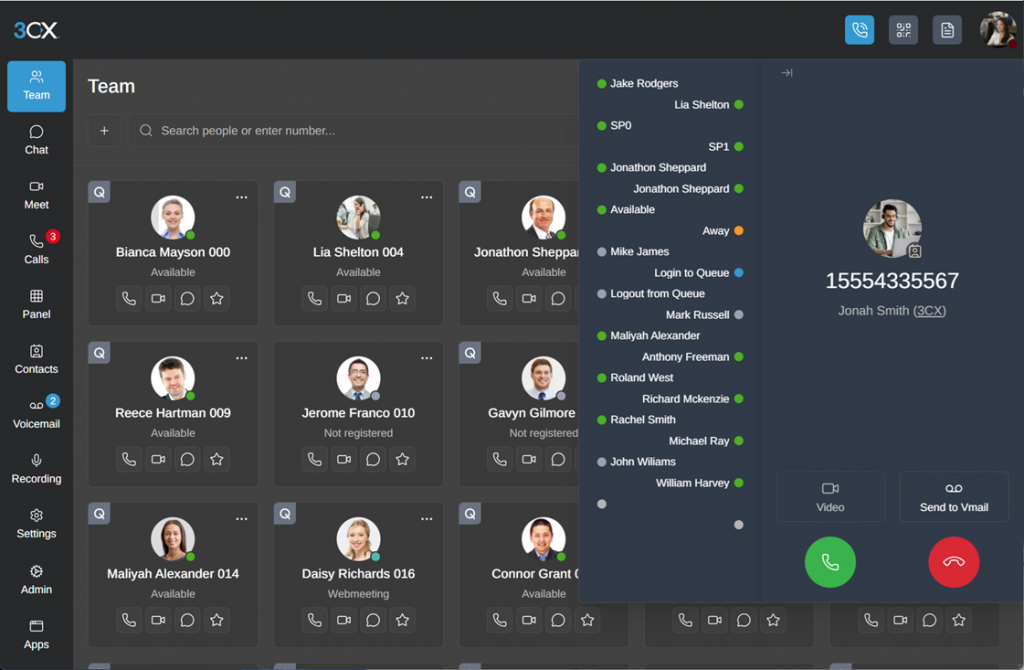
The 3CX web client gives colleagues their directory, availability and calling controls. Compatible SIP handsets can also stay connected to 3CX.
Use the workspace that suits each role. Add Microsoft 365 presence synchronisation separately when your colleagues need to share availability across the two platforms.
See the calls your team needs to handleInfinitel brings the 3CX edition, Teams Phone licensing requirements and calling service into one proposal for your users.
These are distinct services, even when they share a Microsoft 365 tenant.
| Your goal | The appropriate connection |
|---|---|
| Use Teams for selected calls while retaining 3CX | 3CX’s Teams calling integration, with the required 3CX and Microsoft licences. |
| Bring Microsoft users, contacts and availability into 3CX | The built-in Microsoft 365 integration; Teams telephony is a separate capability. |
| Make Teams the primary phone system | Infinitel’s standalone Teams Direct Routing service. |
Bring the 3CX licence, hosting and SIP service together through Infinitel. Colleagues can use the workspace that fits their role, with one provider behind the calls and the connection between platforms.
Yes. 3CX calls this its Teams Direct Routing integration: Teams and 3CX users can call one another, and external calls use SIP trunks connected to 3CX. The calling experience and available 3CX features differ between the Teams and 3CX clients.
Microsoft 365 integration provides supported sign-in, user, contact and presence functions. The separate 3CX–Teams calling integration carries calls between the two workspaces. The appropriate configuration depends on the capabilities your team needs.
Choose standalone Infinitel Direct Routing when Teams Phone will be your primary calling platform. Choose native 3CX–Teams integration when you want 3CX to remain central and connect selected Teams users to it.
3CX documents Enterprise/AI Edition from 16 simultaneous calls for this integration. Users also need the relevant Microsoft Teams and Teams Phone licences, with Microsoft 365 integration in place. Your proposal includes any software upgrade, domain or certificate work alongside the calling service; Microsoft licensing is a separate cost.
Compare keeping 3CX at the centre with making Teams your primary phone system. See the caller and colleague experience in a demonstration, then get a proposal for the approach that fits your organisation.