
Keep your numbers.
Bring the numbers your customers already know, and show your company number on every call you make.
Business calls over the internet, on desk phones, laptops and mobiles, wherever your people work. We supply the phone system, the numbers and the support, all on an independent voice network we own and run.
VoIP carries your calls over the internet instead of old phone lines, so your number goes wherever your people go.
Bring the numbers your customers already know, and show your company number on every call you make.
Take calls on a desk phone, laptop or mobile, in the office, at home or on the road.
Menus, queues and voicemail send each call to the team that can help, first time.
Your phone system, calls and support from one supplier, on one bill.
“The team put me on a 3CX system that enables my field workers to answer inbound business calls away from the office and ensures everyone in my team is accessible at the right times.”


Three ways to move your calls onto our network. Pick the one that matches how your people work today.
| Managed 3CX | Teams Direct Routing | SIP trunking | |
|---|---|---|---|
| Best if | You want a complete phone system, hosted and run for you | Your people already work in Microsoft Teams | You’re keeping a phone system you’re happy with |
| What you get | 3CX calls, video, chat and queues, with apps for every device and SIP trunks built in | Calls to any number from Teams, through Microsoft-certified AudioCodes Session Border Controllers managed by us | SIP trunks on our network for most IP phone systems, set up and scaled in affINITy |
| What your team uses | 3CX apps and Yealink desk phones and headsets | Microsoft Teams, on the devices they already use | Your existing phone system and handsets |
| Price | Equivalent to £5.25 per user per month for a team of 40 | £16 per channel per month | £4.95 per channel per month, plus calls |
| Next step | Explore managed 3CX | Explore Teams calling | Explore SIP trunking |
Prices exclude VAT. What each option includes is set out on Business phone systems.
See the full comparison on Business phone systemsWhichever option you choose, your calls run on a network we own, and the team that runs it is the team you call.
We own and run the network, so we monitor and manage call quality at every stage, including at your busiest times.
24/7 cover for business-critical faults. A 15-minute response target and a 4-hour repair target, backed by a specialist team.
Response and repair targets are written into your service agreement, with service credits of one to five days’ monthly fee if we miss a repair target.
Local and international numbers from the same supplier, served from seven data centres, so a new office joins on day one.
New customers can add SIP trunks and numbers themselves in affINITy, our customer portal.
Porting is free for UK numbers and many international ranges, and any charge is known before the port goes ahead.
We supply the full range of Yealink devices that 3CX supports, so the phones, headsets and meeting-room kit come from the same team as your phone system. Plug a phone in and it sets itself up for your 3CX, and when something needs attention you call one number.
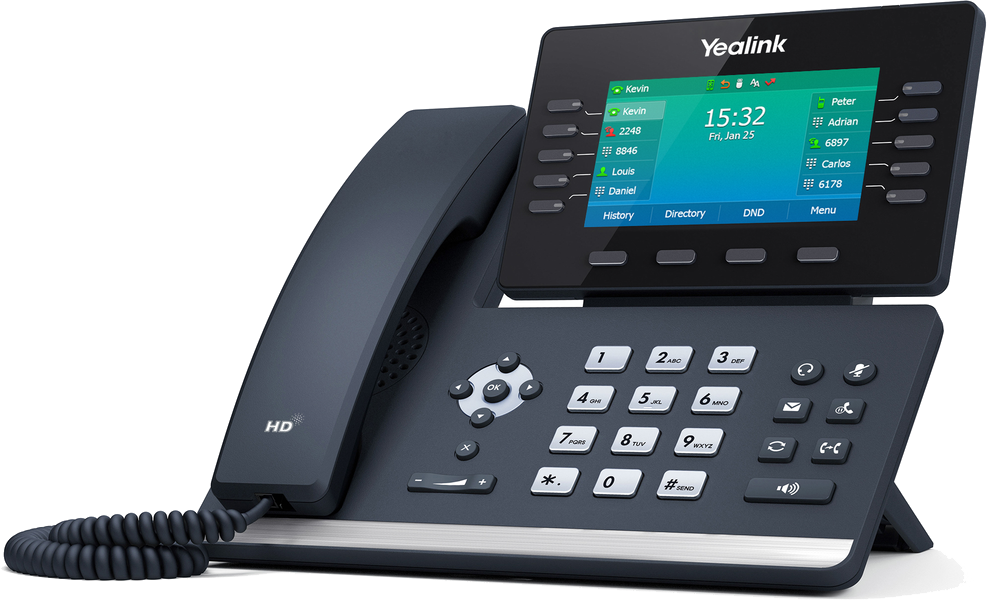
Yealink IP desk phones, from reception to the boardroom, with your extension, directory and presence ready to use.
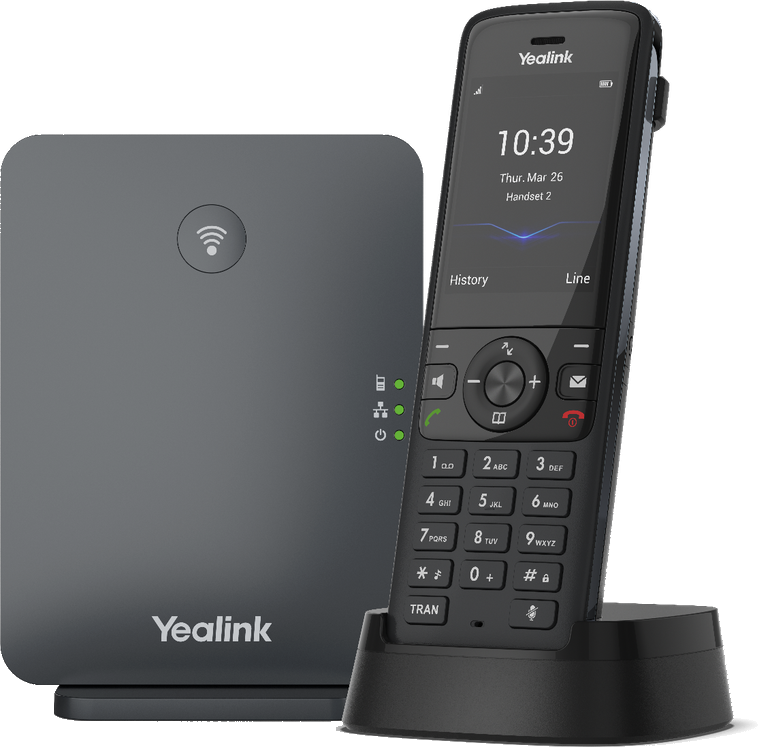
Move around the office, warehouse or shop floor and stay on your business number.
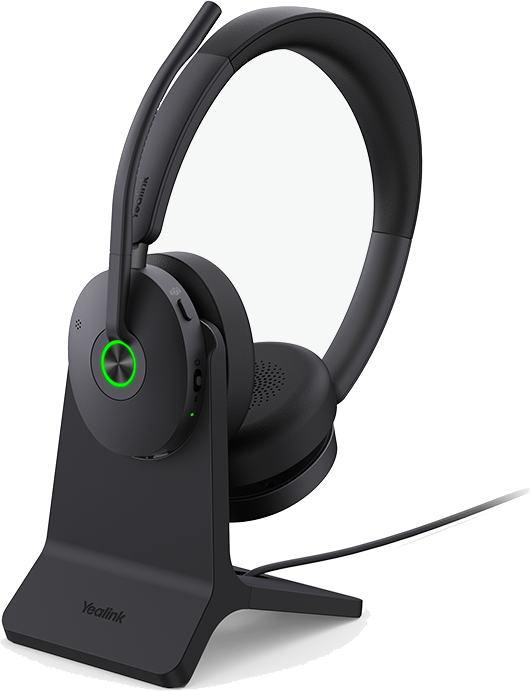
Wired and wireless Yealink headsets for clear calls at the desk, at home or on the move.

Yealink video conferencing and collaboration bars that turn any room into a meeting room.
Buy or lease. Buy your hardware outright or spread the cost with a lease.
Keep what works. We check your existing handsets and tell you which can stay.
Calling in Microsoft Teams? We also supply Yealink Teams-certified phones, headsets and Teams Rooms devices, which you add in your Teams admin centre.
Show us how customers reach you, the numbers you use and your current phone system. We recommend the right option, with a clear monthly price.
We set up your new service, move your numbers and test calls, menus and transfers with you before the switch.
We train your people on answering, transferring and voicemail, and stay your contact for changes as you grow.
Number porting typically takes 7 to 15 business days, though timescales vary by number type and country.
Yes. Infinitel SIP trunks work with most IP phone systems. Your system’s maintainer keeps looking after the system itself, and we look after the calls.
Yes, where they are compatible. We check your handsets and any analogue lines, such as alarms, lifts or fax, and tell you what can stay and what needs an adapter or replacement before the move.
Yes. Porting is free for UK numbers and many international ranges, and any charge is known before the port goes ahead. It typically takes 7 to 15 business days, though timescales vary by number type and country. Your current provider may apply its own charges.
Yes. The 3CX apps and Microsoft Teams let staff use the business number on a laptop or mobile anywhere with an internet connection. Mobile data or roaming charges from your mobile provider may apply.
Your team keeps taking calls on the 3CX app, on their mobiles.
A Microsoft Teams Phone licence for each user who makes calls, which comes from Microsoft. We check your licences and tenant settings before we quote.
Tell us how your team handles calls today. We’ll recommend managed 3CX, Teams calling or SIP trunking, and give you a clear monthly price for calls, setup and support.