Infinitel

See the calls your business could handle better.

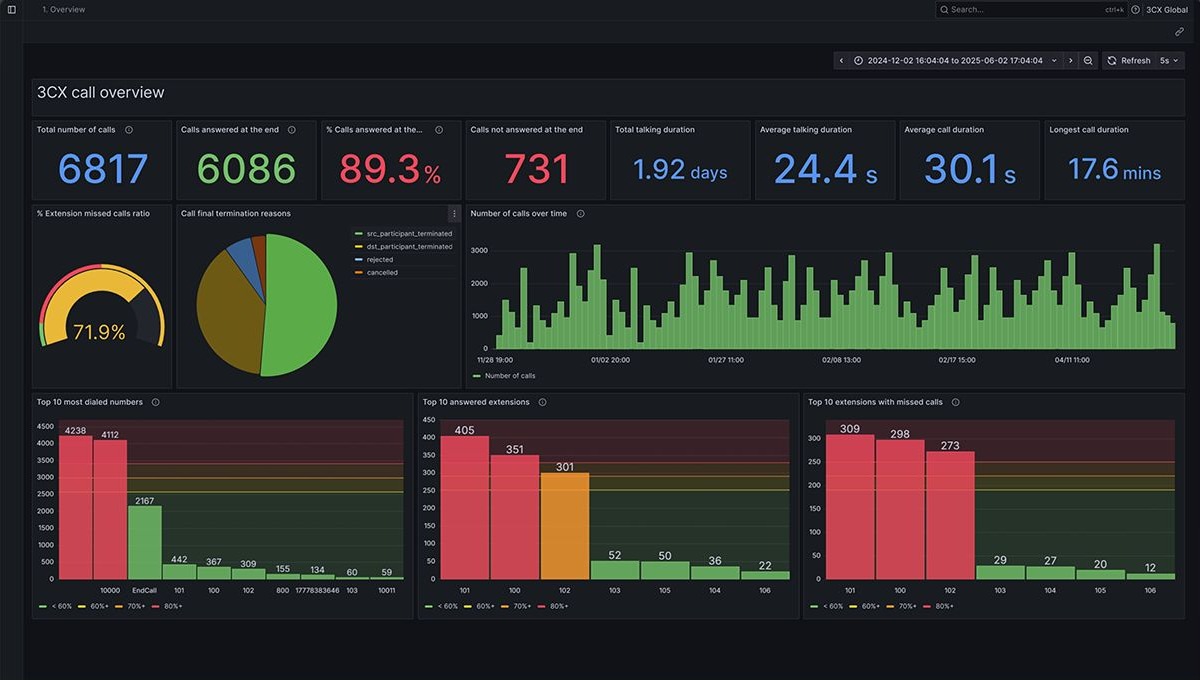
Find unanswered demand, understand waiting times and give managers a clearer basis for staffing and call-flow decisions. Built-in 3CX reporting puts the evidence within reach, with Infinitel supporting the phone service behind it.

Follow the call. Find the decision.

Start with a queue your customers rely on. These native 3CX reports reveal different parts of the caller’s experience.

A call enters your 3CX queue

Goes unanswered

Native report

Abandoned Queue Calls

Counts calls that entered the queue but were not answered.

Review cover and overflow

Compare equivalent periods. Check opening hours, available staff and where unanswered calls go before changing the call flow.

Is answered after a wait

Native report

Queue Answered Calls by Waiting Time

Groups answered calls by how long the caller waited.

Review staffing and callback options

Look at waiting patterns alongside demand. Decide whether different cover or a callback option deserves a trial.

Infinitel’s explanation of native report measures, based on the 3CX reporting guide. Report availability and access depend on your edition and role.

Make a change. Check its effect.

Review a comparable period after the change. If you offer callbacks, check requested and failed callbacks too. Reports guide the investigation; your team supplies the context.

Explore your queue in a demonstration

Turn a report into a better working day.

Make cover follow demand

Compare equivalent periods and review queue, extension and ring-group activity. Give staffing and routing decisions a consistent basis, with context before drawing conclusions about an individual.

Keep improvement on the agenda

Schedule reports for regular service reviews. Infinitel helps managers use reporting alongside the managed phone service, so findings can inform practical changes to call handling.

Choose the right level of insight.

These capabilities answer different questions and have different buying requirements.

Native 3CX reports

Understand call activity, queues and response patterns inside 3CX. Available reports and access depend on the edition and the user’s role.

Dimensions for 3CX

Add a separate dashboard, wallboard and reporting service for broader management requirements.

Explore Dimensions

3CX AI analysis

Review what was said through transcripts, summaries and sentiment. AI Edition and a transcription service are required.

Explore AI analysis

Reporting connected to the service you run.

Bring a real question to Infinitel

Show us a queue that feels too busy, a period with missed calls or a team that needs better visibility. We can demonstrate the relevant report and discuss the phone-system changes that could help.

Use what your system already offers

For an existing 3CX service, start with its edition and reporting permissions. Your proposal identifies any licence change, managed-service work or additional analytics before you buy.

Your questions, answered

Is reporting included with 3CX?

3CX provides built-in call reports. The available reports, scheduling options and access depend on your edition, release and role. Infinitel can show you the relevant reports for the proposed service.

Which insights come from native reporting and which use AI?

Native call and queue reports show activity such as answered calls, unanswered calls and waiting times. AI transcription, summaries and sentiment add insight into recorded conversations, with separate edition and service requirements.

How do we turn report findings into better call handling?

Review the recorded activity alongside opening hours, call routes and team context. That helps you choose whether staffing, routing or another service change deserves attention. Reports provide evidence for the decision; they do not capture every circumstance behind an individual call.

Find the next improvement in your call data.

Explore a queue, a busy period and the call patterns behind it with an Infinitel specialist. Arrange a demonstration around the service question your team needs to answer.

Call our team0333 048 0000Email ushello@infinitel.co
Your contact details

Attention: Check the name entry.

Attention: Check the telephone number entry.

Attention: Check the email address entry.

Attention: Check the message entry.

This protected Preview form does not submit, validate, send or store information.

Choose which optional cookies we can use. You can change your choices here at any time.

Read our cookie policy.